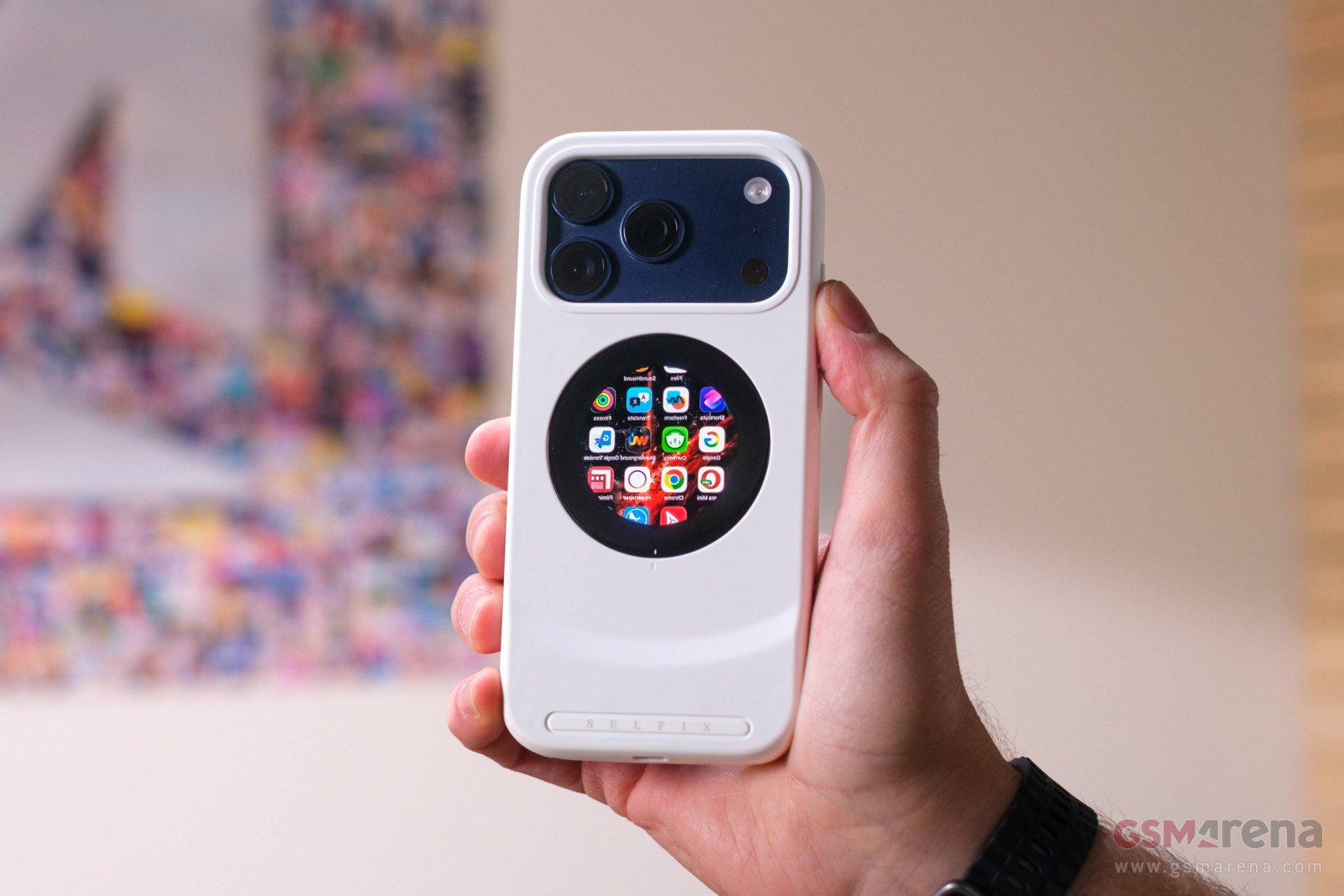
The Selfix case aims to turn your iPhone 17 Pro or iPhone 17 Pro Max into a one-stop vlogging system. It can also work if you shoot video with an action camera or drone. The case is currently on Kickstarter.
The main selling point – and the reason for the name – is the display on the back of the case. It allows you to use the main cameras for selfie photos and videos while creating a perfect design.
It is a 1.6 “OLED display with a resolution of 480 x 480px. And yes, it is round. This seems unusual at first, but there is a good reason for this – it maintains compatibility with MagSafe devices. Many MagSafe cases and selfie sticks have an O-shaped magnet, which sticks to the phone without covering the display.
The Selfix case has a round 1.6” OLED display on the back
The way this case works is interesting – no device can be inserted, instead, the case simply plugs into the phone’s USB-C port and uses its video output to drive the display.
This is a touch screen, but note that you must enable AssistiveTouch – this allows the display to send touch input to the phone. It works well enough for basic control of the camera tool, for example, you can use the tape to focus or adjust the zoom level.
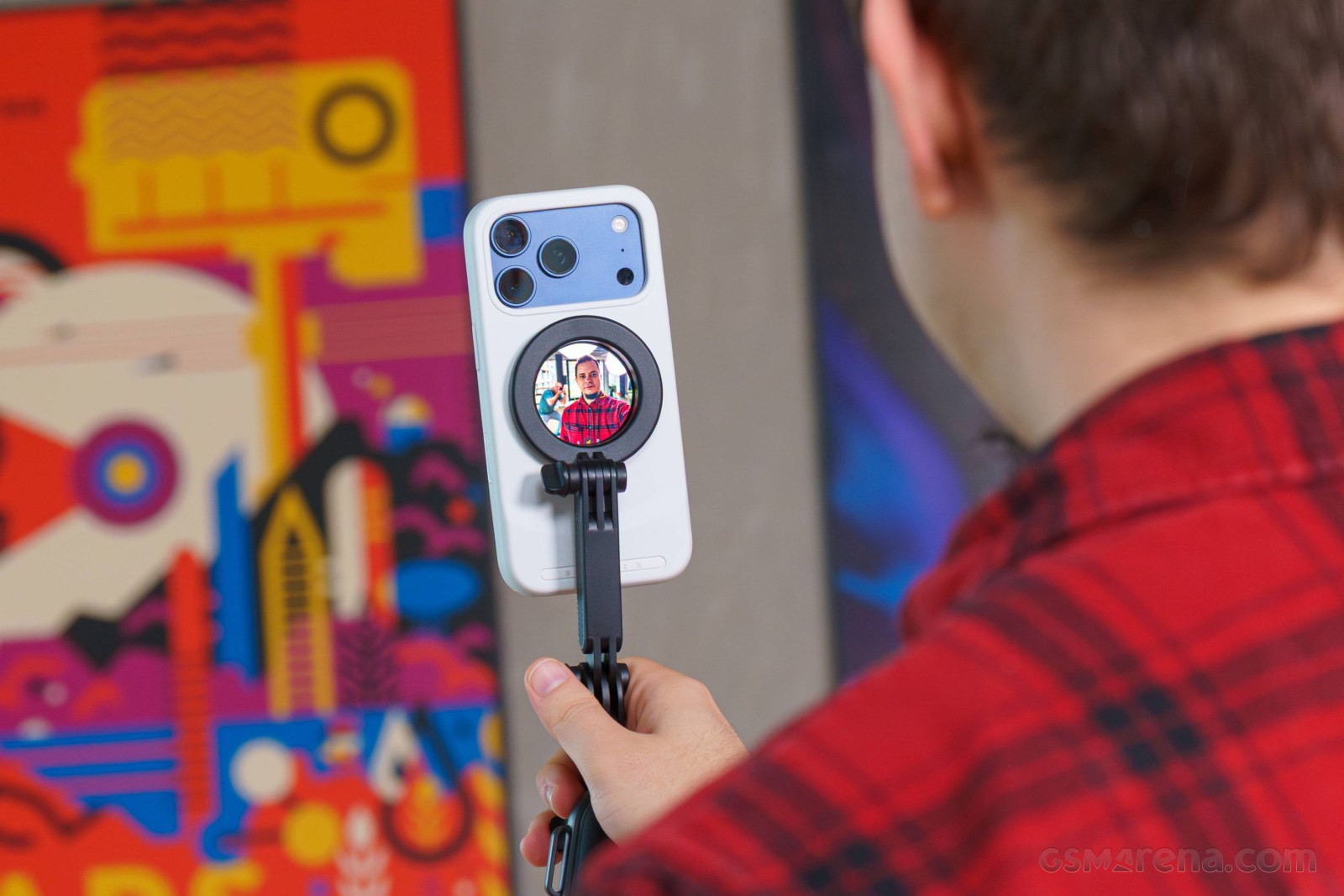
This is a pretty good design in general – for example, you can attach the phone to the selfie stick, which you hold with one hand, and then use your other hand to control the screen. Or if the phone is on a tripod, you can use the touch screen to adjust things without having to move around from side to side.
Also, since this uses screen mirroring, you can see the full UI of the phone – the small round display isn’t ideal, but it works well enough to launch a third-party app, say, a Blackmagic camera app or a streaming app.
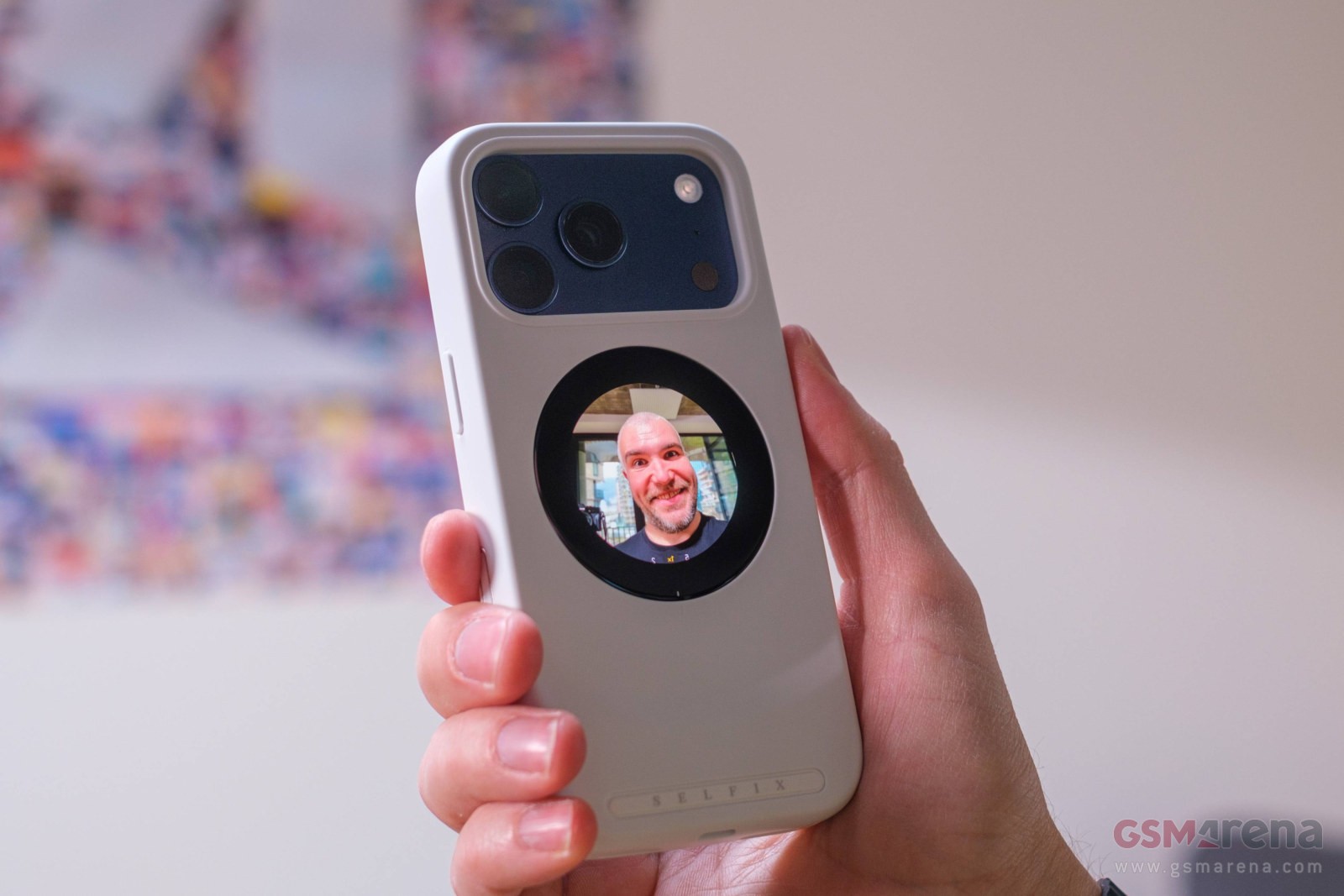
Using the rear display to frame a selfie
All of this means that the case stays in the phone’s USB port, though. The case has its own USB-C port, which can transfer power to the phone for charging. It requires a minimum of 18W to operate, but a 27W USB-PD adapter is recommended. Ideally, though, you’ll use a 45W adapter since the case can send up to 40W to the phone (which is about as much as the iPhone 17 Pro and Pro Max can go). Note that there are some limitations here. For one, you can’t charge the phone and use the rear screen at the same time. Also, the USB port is for charging only (ie, you can’t connect to a computer to transfer files through the case).
Since the display draws power from the phone, it dims after a minute with no screen updates and turns off after 5 minutes. The case itself turns off after 10 minutes to save the phone’s battery. You can turn it back on using the case-only button in the bottom left corner of the phone. Powering up takes 6-7 seconds. This button also allows you to flip the icon shown above, similar to a phone Mirror Front Camera mode (for rear camera).
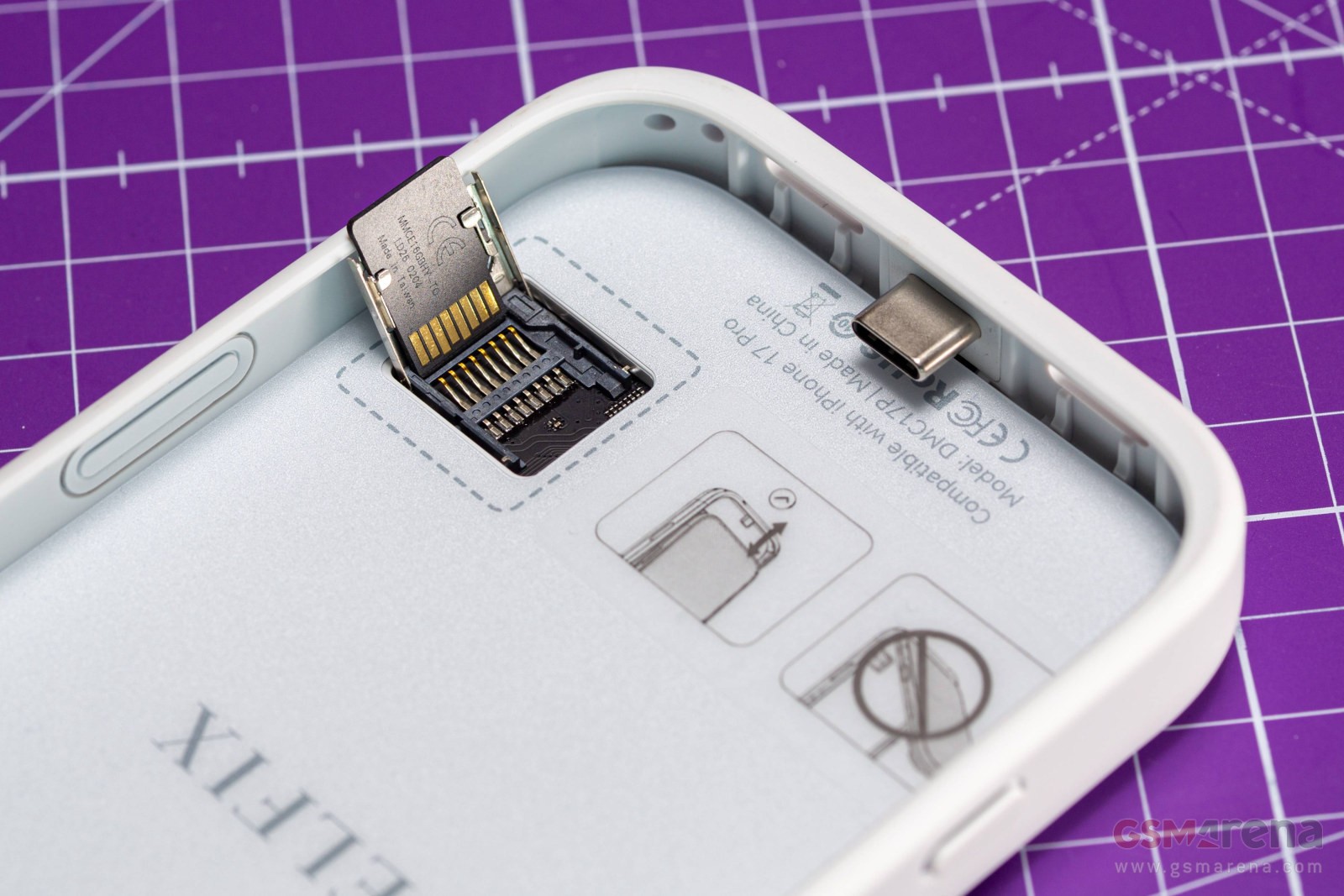
There’s a microSD slot inside, which supports cards up to 2TB
The display alone would be reason enough to get a Selfix case, but it has an extra feature – a microSD slot. This case allows you to add up to 2TB of external storage, so you can copy files from the internal storage to the MicroSD card and free up some space.
Or in another way – as we said in the first paragraph, you can take the microSD card from the action camera or drone and read it using this case. The only drawback for this application is that the card reader is only available inside, so you have to take out the phone every time you want to exchange cards. iOS has an option to format external storage, although most microSD cards should come pre-formatted to exFAT. exFAT is also a format that action cameras and drones often use.
You can also record video directly to the microSD card, although bandwidth limitations mean you won’t be able to use the most demanding methods. The card reader is rated at V30, i.e. 30MB/s, while 4K ProRes 60fps footage requires a write speed of 220MB/s. But if you’re not shooting ProRes, you can record to internal storage and upload files to a microSD card. This is especially important if you haven’t found one of the top storage options for your iPhone.
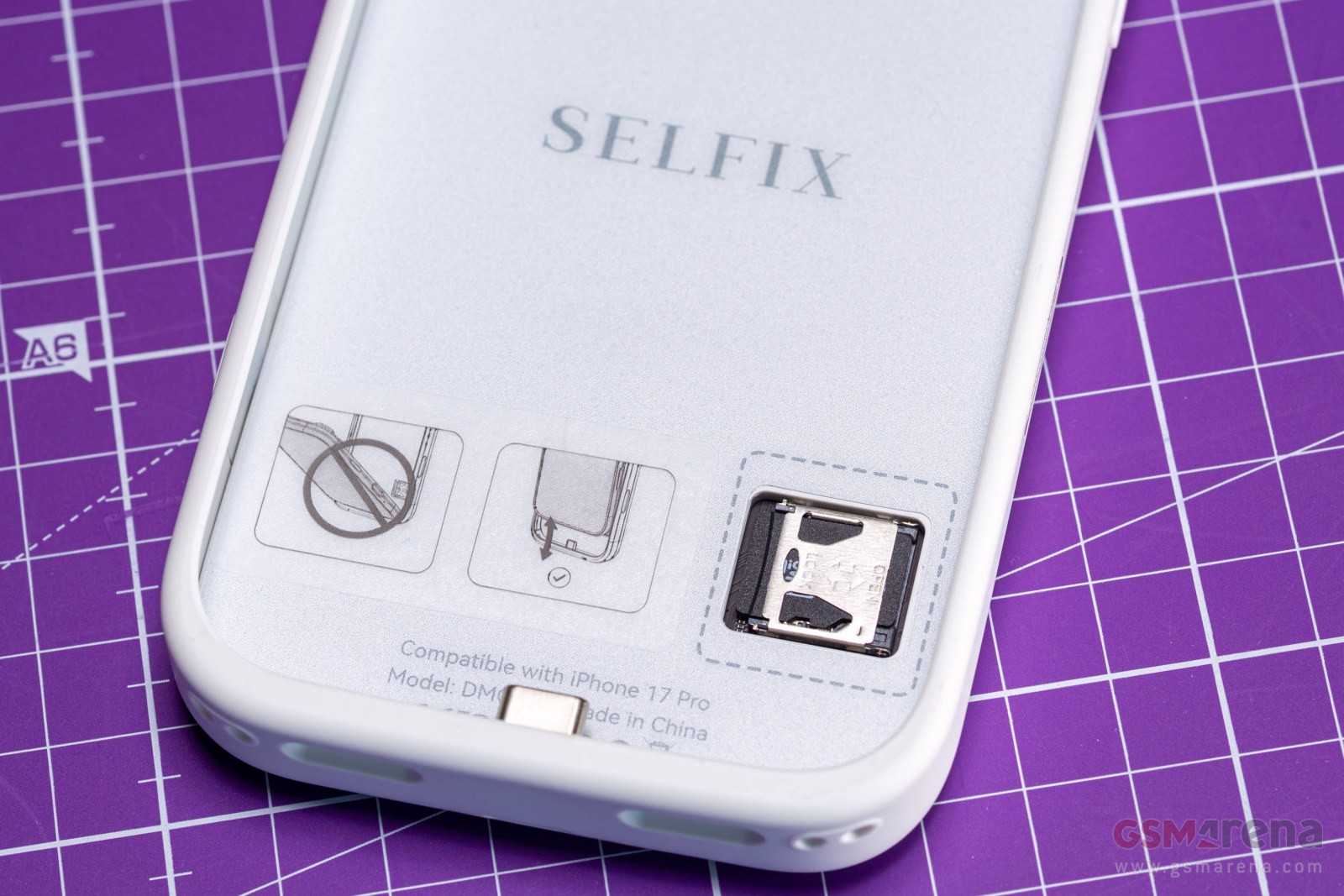
The 2TB iPhone 17 Pro Max costs $2,000 ($800 more than the 256GB base model), while a 2TB microSD card will cost you half that. And that’s because 2TB cards are expensive – there’s nothing stopping you from picking up a few 1TB or 512GB cards, for example, and swapping them out as needed.
The Selfix case itself is made of high-quality TPU and is available in Satin White, Morganite Pink and Onyx Black. Only iPhone 17 Pro and iPhone 17 Pro Max cases are available – we tested the Pro version. In case you were wondering, no, the Pro Max case does not have a larger display (again, the display is designed to fit inside the magnetic MagSafe ring, which fits all phones).
Selfix case on iPhone 17 Pro
The case makes the phone thicker – the 17 Pro and 17 Pro Max cases measure 17mm, but it’s not too much compared to a standard TPU case.
Right now, the Selfix case is on Kickstarter with three weeks to go. You can get the iPhone 17 Pro or 17 Pro Max for $79. There is also a $109 option that includes the Selfix Magnetic Ring Holder with Mirror (normally $15) and the Selfix Adjustable Crossbody Strap-Black (normally $25).
#Selfix #iPhone #case #handson #case #rear #display #microSD #slot